
- Purchasing a New Domain through ZipWP Cloud
- How to Connect Your Domain and Go Live with ZipWP Cloud?
- What is ZipWP Cloud?
- Understanding the ZipWP Cloud Dashboard
- Connecting a Custom Domain to Your Site (Nameserver vs. CNAME)
- Why is My WordPress Site Not Loading? (Common Causes & Fixes)
- Disk Usage & File Limits (Inodes) Explained
- AI Troubleshooter
Where To Find Login Credentials For Your Site?
When you create a blank site or a complete website with ZipWP, you will be able to view it in your ZipWP account. Now, there are two ways to log in to this site.
The first way is the Single Sign-On (SSO) login through your ZipWP account.
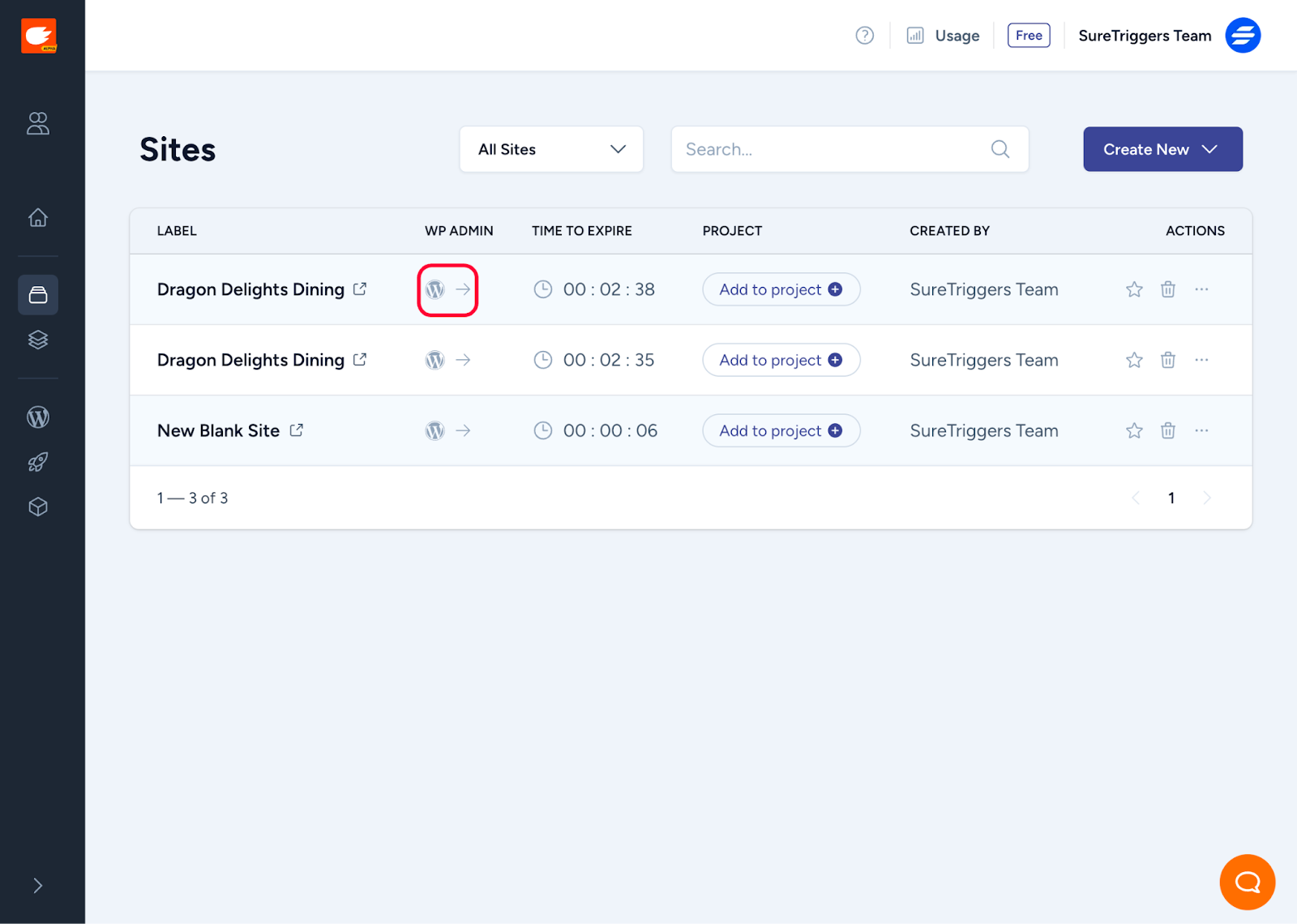
The second way is to log in with the WordPress username and password that are generated with your site. To find the credentials of a site in your ZipWP account, follow the steps below:
- Login to your ZipWP account.
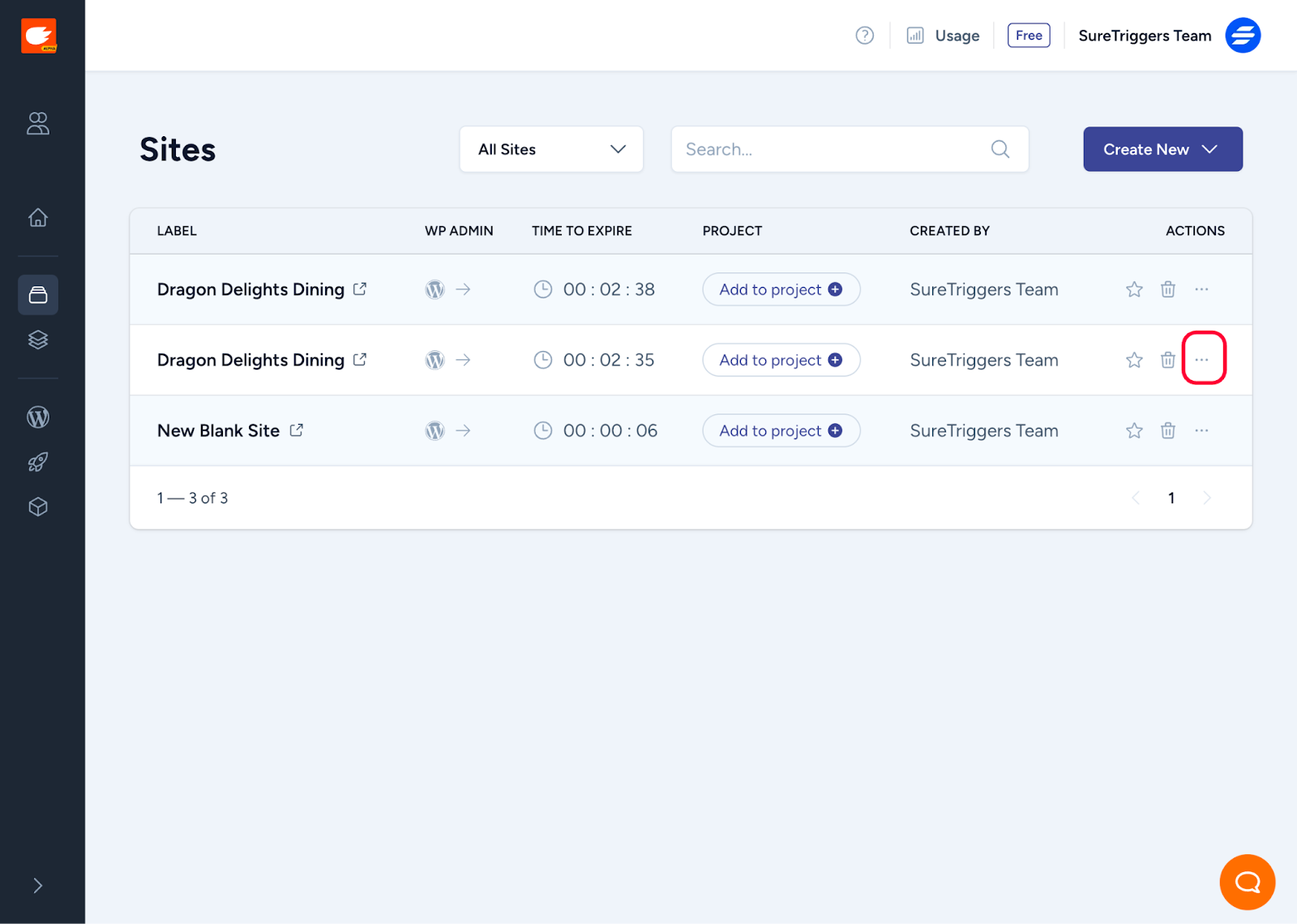
- Click on the three dots menu on the right side of the site for which you need the credentials.
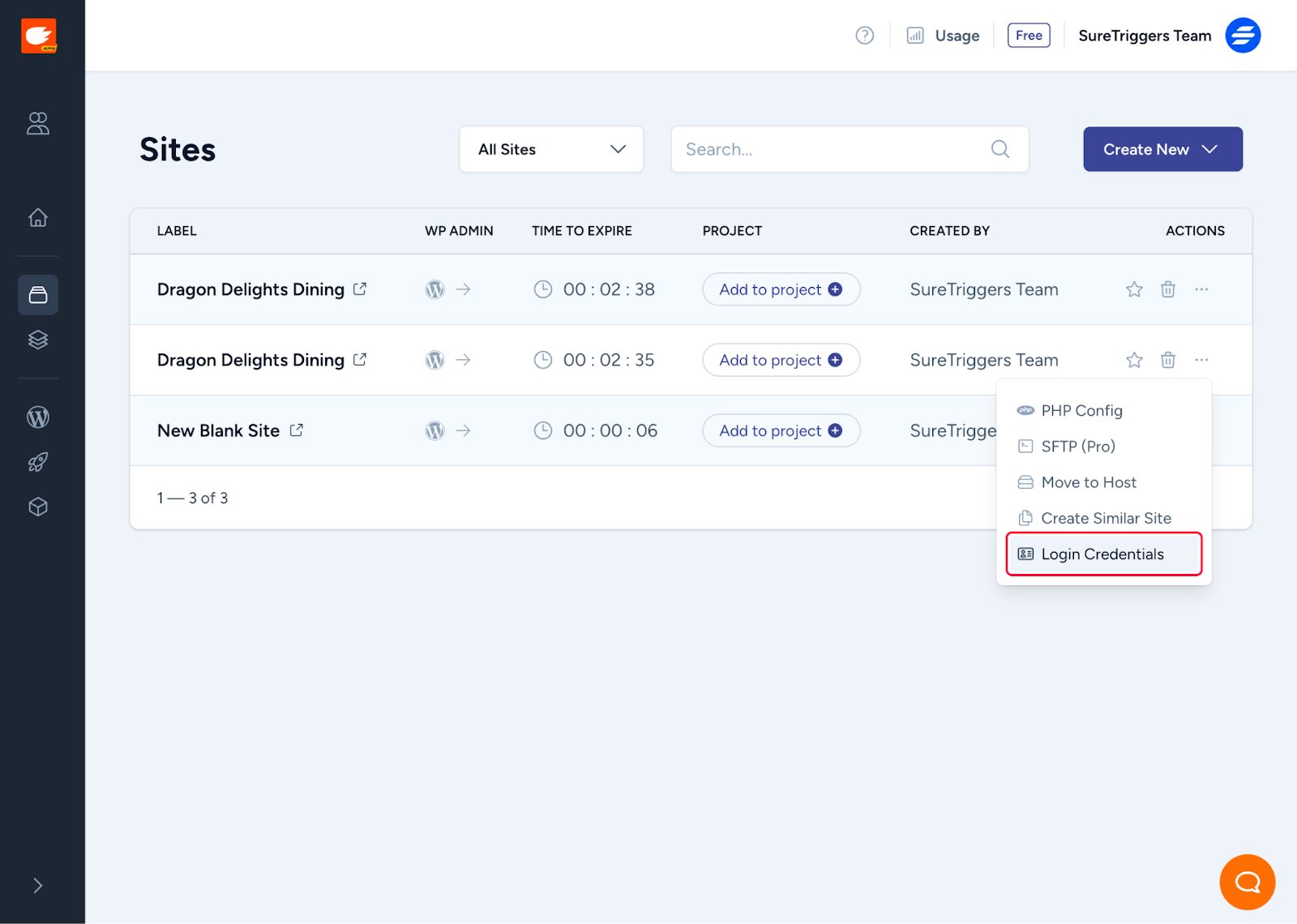
- Click on Login Credentials.
Later, you will be able to see the login URL, username, and password. You can use these credentials to log in to your site.
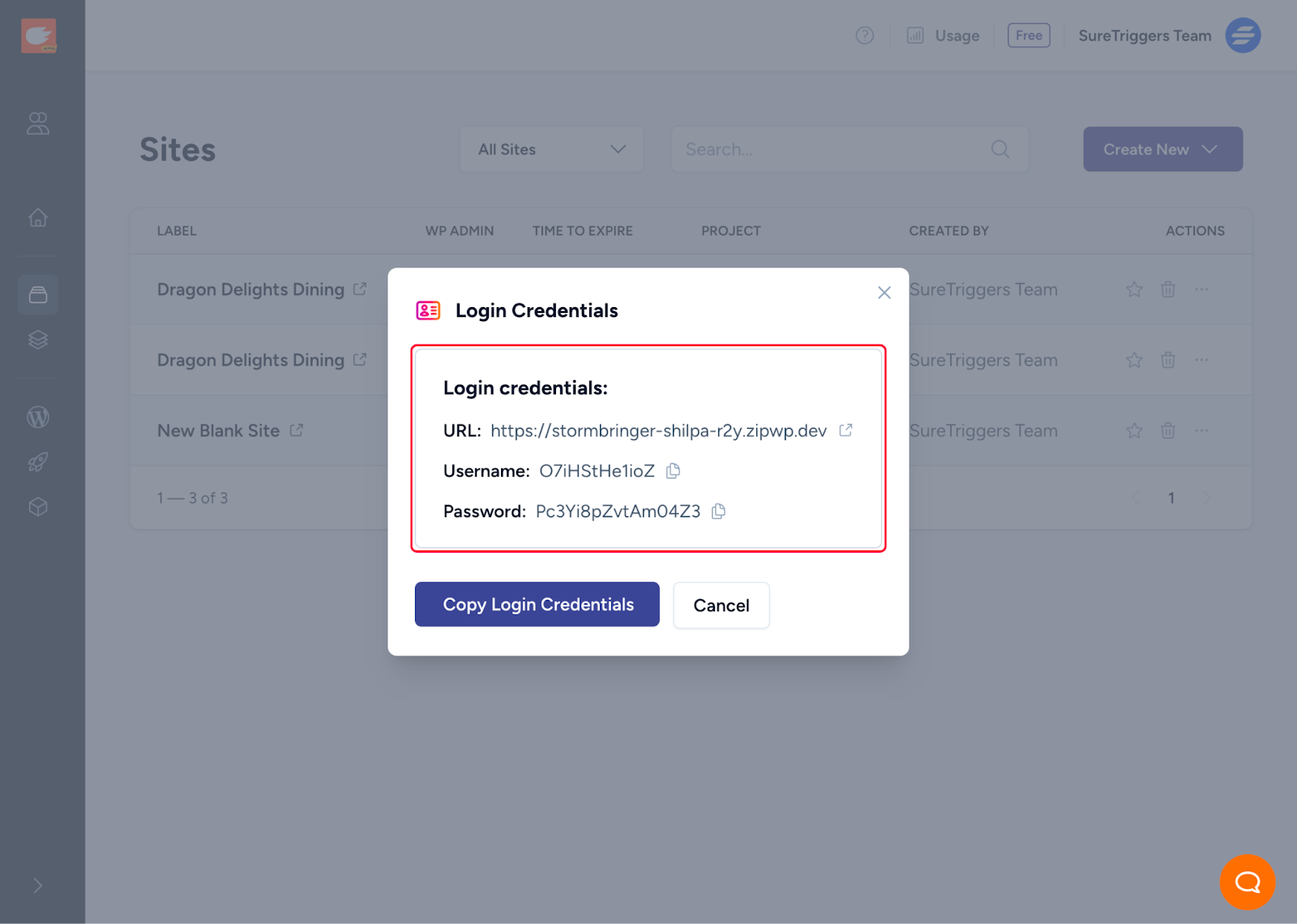
You can also share these credentials with anyone who is not part of your ZipWP account and whom you want to be able to access the site.
Hope this article helps. If you still have any questions, let us know!
We don't respond to the article feedback, we use it to improve our support content.